ZLZ_HeadDirectionBinder (Required Script)
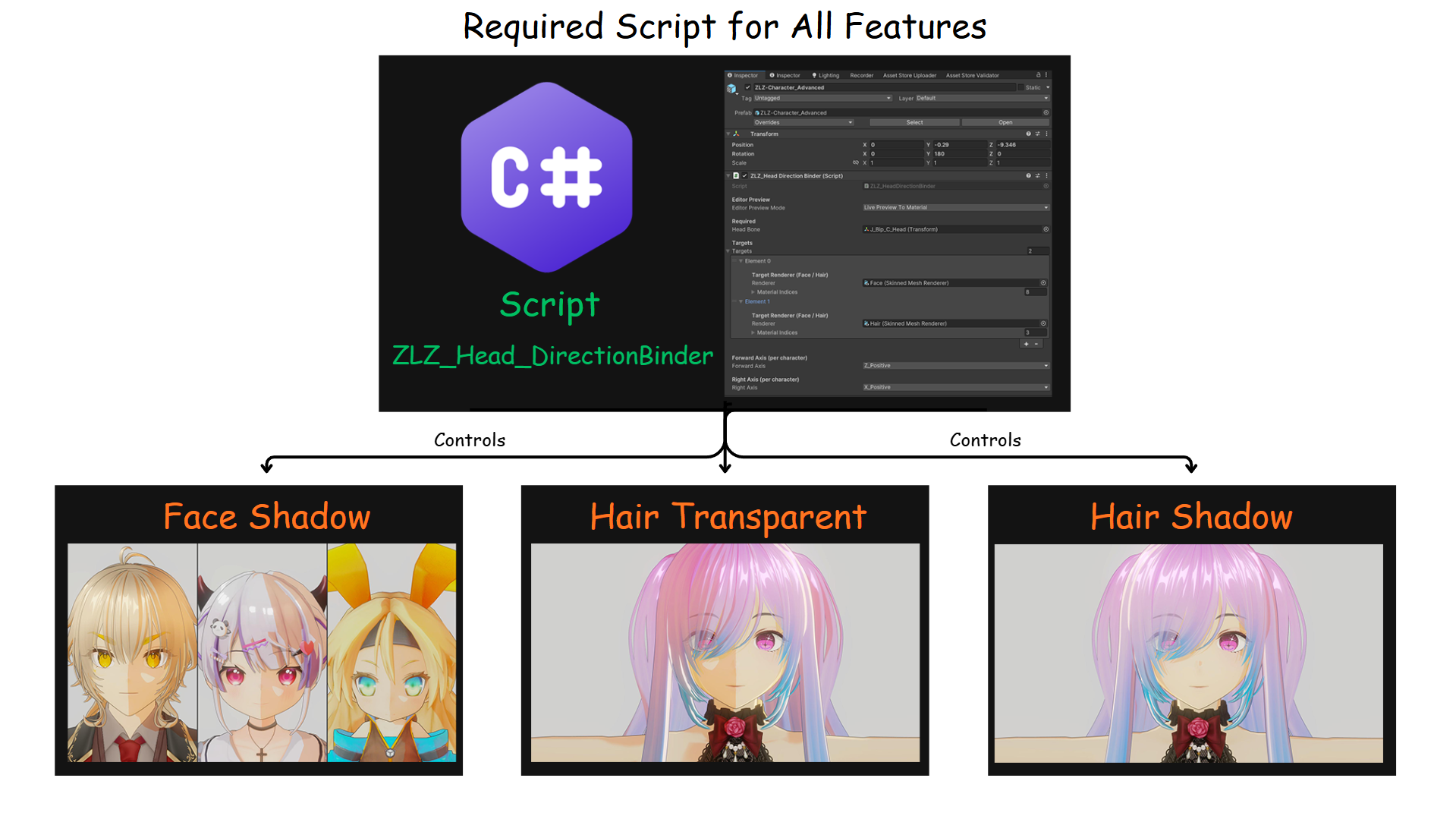
Overview
ZLZ_HeadDirectionBinder is the core script used to control the direction of the Head Bone and send that data to the shader, ensuring that related features work correctly.
This script is required for all of the following features:
- Face Shadow
- Hair Transparent
- Hair Shadow
What does it do
The script reads the position and direction of the Head Bone (in World Space) and passes this data to the material, such as:
- Head Center Position
- Head Forward Direction
- Head Right Direction These values are then used in the shader to calculate lighting behavior and various visual effects on the face and hair.
Why This Script Is Required
Features like Face Shadow and Hair Effects cannot rely on mesh data alone to determine correct directions, because each character may have different axis setups and rig configurations.
Using the Head Bone as a reference helps ensure that:
- Facial shadows align correctly with the actual light direction
- Hair Transparent works properly based on the viewing angle
- Hair Shadow is positioned accurately
If This Script Is Not Used
Features may not work correctly, such as:
- Face Shadow will not function
- Hair Transparent may render incorrectly (eyes and eyebrows may disappear)
- Hair Shadow will not align with the light direction
Summary
ZLZ_HeadDirectionBinder is the core of the system. Without this script, features that rely on head direction will not function correctly.
Setup Script ZLZ_Head Direction Binder
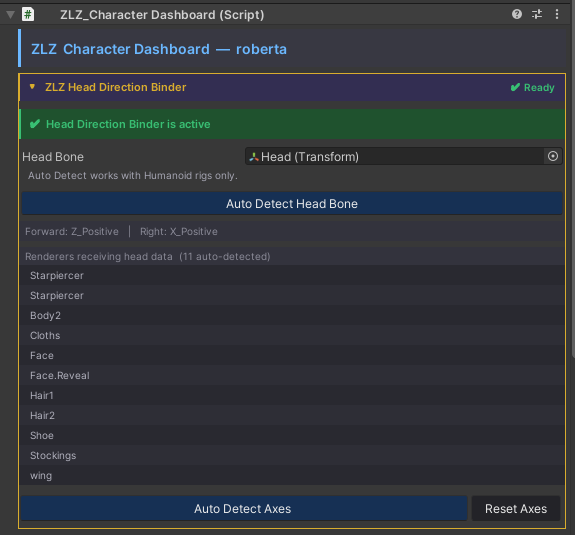
The script has been improved to provide a more convenient workflow:
- For Humanoid characters, there is no need to manually assign the Head Bone. The system can detect it automatically.
- For Generic characters, users only need to manually assign the Head Bone.
- Users no longer need to manually select the correct axis. The script can automatically detect it with a single click.
- No need to manually assign Meshes or Materials. The script automatically sends the required values for you.
- Displays the current status to indicate whether everything is working correctly. If something is not properly configured, a warning message will be shown.