Grass Edges
The core idea: grass can be kept from growing in three places — objects in the scene, the mesh edge, and areas painted over with another texture/color — and instead of cutting the grass on a hard straight line, all three use the same technique: gradually shrinking the grass shorter until it fades out as it nears the edge, so the transition looks smooth and natural with no sharp edges.
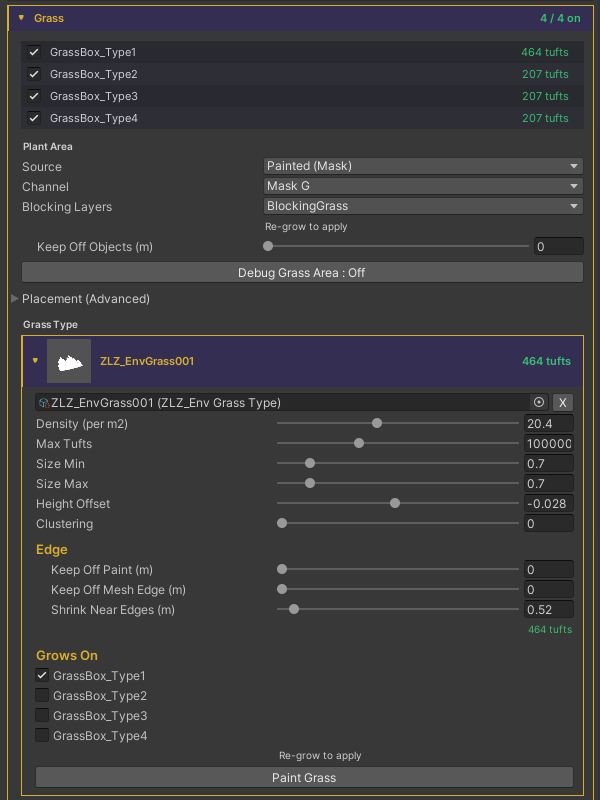
Blocking Layers
Keeps grass off objects in the scene — a house, a rock, a crate. Set on the ZLZ Env Dashboard, in the Plant Area section.
- Blocking Layers — choose the Layers of the objects that keep grass out (only those with a Collider). Nothing = grass ignores objects entirely. Sampled at Grow, so Re-grow to apply
- Keep Off Objects (m) — how far grass stays away from those objects, tuned live in real time (0–2 m). Higher widens the bald ring around each object
Mesh Edge
Keeps grass in from the surface edge so blades don’t poke past it. Set per Grass Type (on the Grass Type card’s Edge section).
- Keep Off Mesh Edge (m) — how far grass stays in from the surface edge, so blades don’t poke past it. 0 = off
Keep Off Paint
Keeps grass out of areas painted over with another texture/color. Set per Grass Type (on the Grass Type card’s Edge section).
- Keep Off Paint (m) — how far grass stays away from the painted ground. 0 = stops exactly where the paint takes over
Shrink Near Edges — the shared technique
Instead of ending on a hard line, blades taper down to nothing over the last stretch near any edge. This is the heart of the system — it makes all three cases above blend the same, smooth way.
- Shrink Near Edges (m) — the last stretch (in metres) over which blades taper down instead of ending on a hard line. It applies to every edge at once (paint, mesh edge, objects, and erased holes). 0 = hard cut
Debug
- Debug Grass Area — toggles an overlay to check the result: green = full grass, amber = inside the Shrink zone (grass, but shorter), red = no grass