← Back to Home
Grass LOD
The Grass LOD system keeps grass cheap to render by simplifying and culling it based on distance from the camera — full-detail meshes stay near the camera, while faraway grass drops to a lighter mesh or is removed entirely.
Showcase
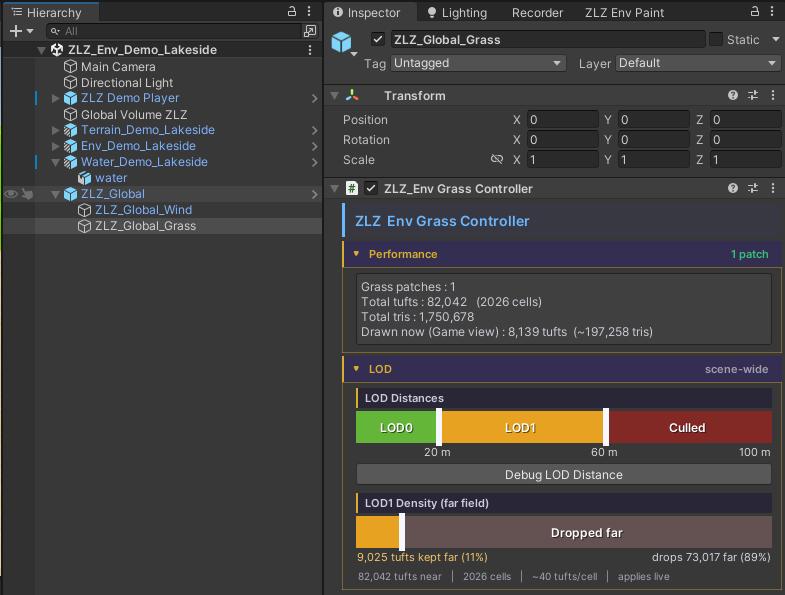
Where to Configure
- All LOD settings live on
ZLZ_Global_Grass
Performance
- Reports information about the grass currently in the scene, so you can see the impact of your LOD settings at a glance
LOD Levels
- LOD 0 = full-detail grass mesh
- LOD 1 = low-poly mesh with a reduced instance count
- Culled = grass is removed entirely
- You choose which LOD is displayed at each distance range
Settings
- Debug LOD Distance — visualizes each distance range so you can see where the LOD transitions happen
- LOD 1 Density — controls how much the grass count is thinned out within the LOD 1 range
- Distance Fade — blends the transition between LOD ranges so switching looks smooth instead of popping