← Back to Home
Grass Color Camera
This system makes the base of the grass blend with the color of the ground it sits on. A top-down camera captures the ground color (after lighting and shadow) and feeds it to the grass to tint its gradient. Grass on soil takes on a soil tint, grass in shadow darkens with the ground, and there is no hard seam between grass and ground. The camera only runs when needed and then shuts itself off, so it barely costs any performance.
Showcase
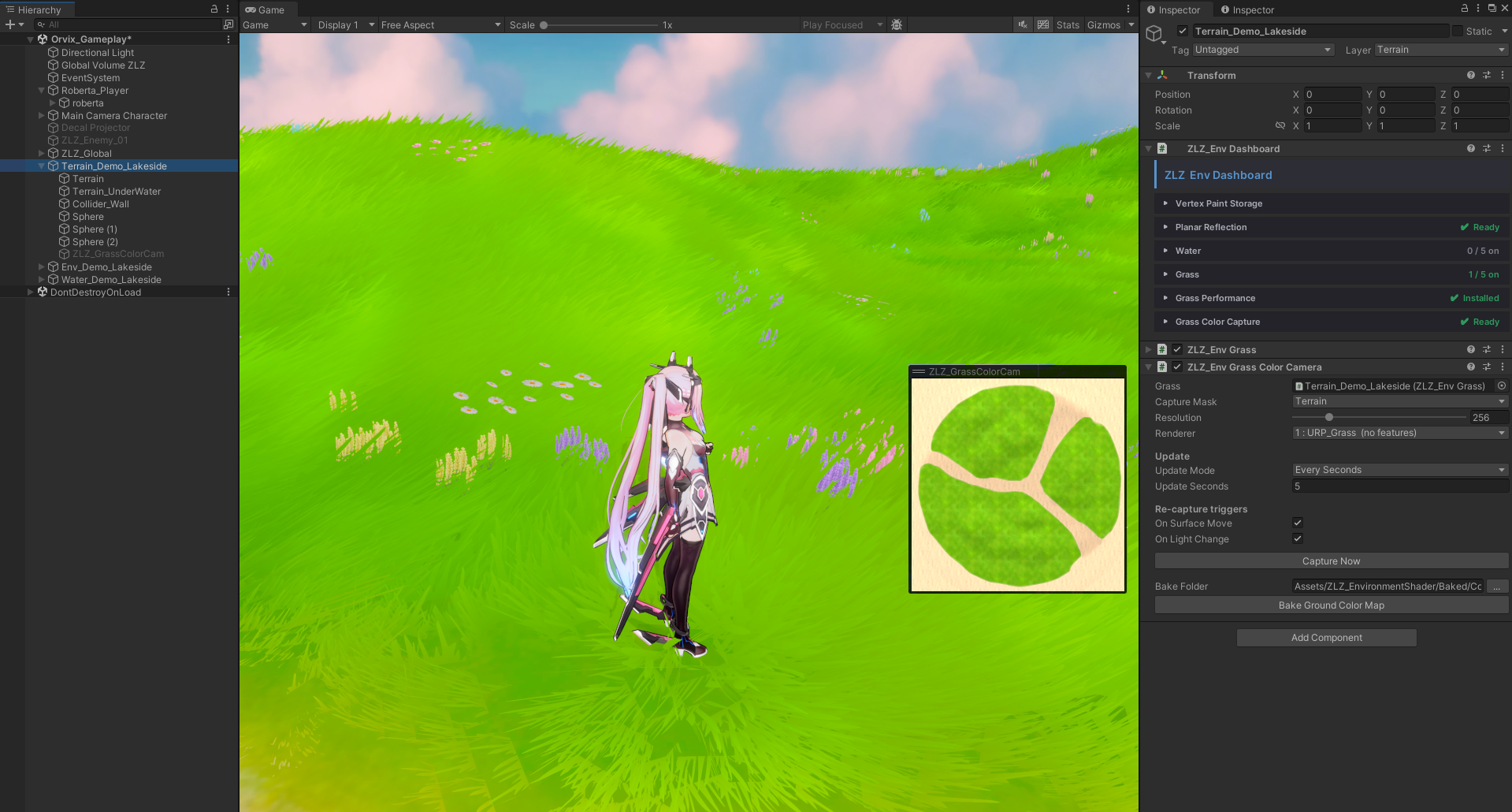
Setup
- Grass — assign the Root that has the Dashboard (added automatically during setup). The camera frames itself to cover every active grass field on its own
- Capture Mask — choose the Layer you want the grass to sample color from, normally the same Layer the Terrain uses
- Resolution — the resolution of the color image fed to the grass. Since it is only a broad color tone and needs no sharpness, 256 is enough and keeps this camera lightweight
- Renderer — select
URP_Grass(installed automatically). This camera adds no extra Features so it stays as light as possible
Update
Controls the capture cadence at runtime, with two modes:
- Once — captures the color once at start, then turns the camera off. Best for scenes where the lighting and ground are static
- Every Seconds — re-captures on an interval you specify, for cases where the ground color keeps changing on its own
Re-capture Triggers
Even with Update set to Once, the system automatically re-captures when something changes. It only captures when there is an actual change; if everything is static the camera stays off and costs nothing.
- On Surface Move — re-captures when a captured area moves / rotates / scales, so grass color stays matched to the ground even if the Terrain moves
- On Light Change — re-captures when the Directional Light changes direction, color, or intensity, keeping grass color and shadow correct even in day-night scenes
Actions
- Capture Now — press to capture and update the grass color immediately, for when you have changed something and want to see the result right away
- Bake Ground Color Map — if you would rather not use the Orthographic camera, you can Bake the ground color into a Texture and use that instead — though the camera is now so optimized that it is barely different from using a Texture