← Back to Home
Upgrade FX Runtime

Demo Upgrade Runtime
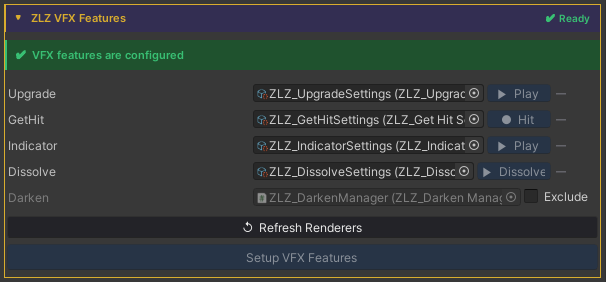
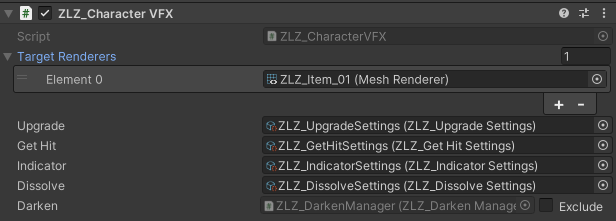
Auto Setup
Done in a single step, just click Setup VFX Features and Refresh Renderers.
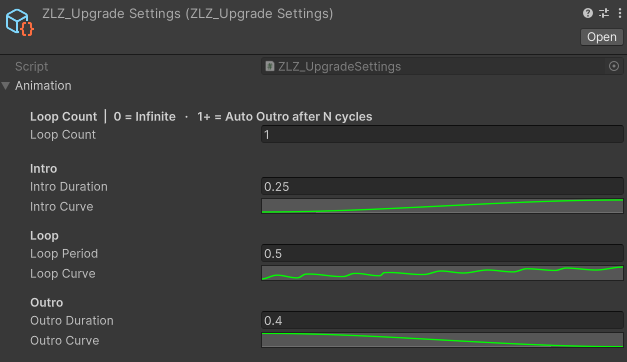
Adjust Animation Curve
Usage
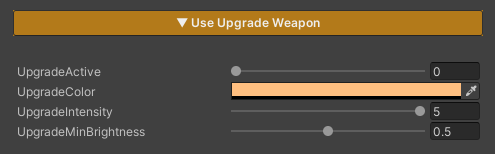
Upgrade is a feature used to visualize when a character or weapon is upgraded, providing clear visual feedback to convey progression and change to the player.
Parameters
- UpgradeActive : Enables or disables the effect (0 = off / 1 = on)
- Upgrade Color : Sets the color of the effect when an upgrade occurs
-
Upgrade Intensity : Controls the brightness of the effect
(higher values make the effect more pronounced)
-
Upgrade Min Brightness : Controls the minimum brightness of the effect
(higher values make the effect more visible / lower values reduce brightness, allowing the main texture to remain more visible)
Scripting
Add using ZLZ.AnimeShader; and get a reference to ZLZ_CharacterVFX, then access the Upgrade block:
// Animated (recommended) - plays Intro → Loop → Outro
vfx.Upgrade.Activate();
vfx.Upgrade.Deactivate();
vfx.Upgrade.ToggleUpgrade();

// Check state
bool active = vfx.Upgrade.IsActive();
Example - power-up on key press:
void Update()
{
    if (Input.GetKeyDown(KeyCode.Q))
    GetComponent<ZLZ_CharacterVFX>().Upgrade.ToggleUpgrade();
}
Example - buff a player when they pick up a power-up:
void OnPickupPowerUp(GameObject player)
{
    player.GetComponent<ZLZ_CharacterVFX>()?.Upgrade.Activate();
}

void OnPowerUpExpires(GameObject player)
{
    player.GetComponent<ZLZ_CharacterVFX>()?.Upgrade.Deactivate();
}