← Back to Home
Character Contact Shadow
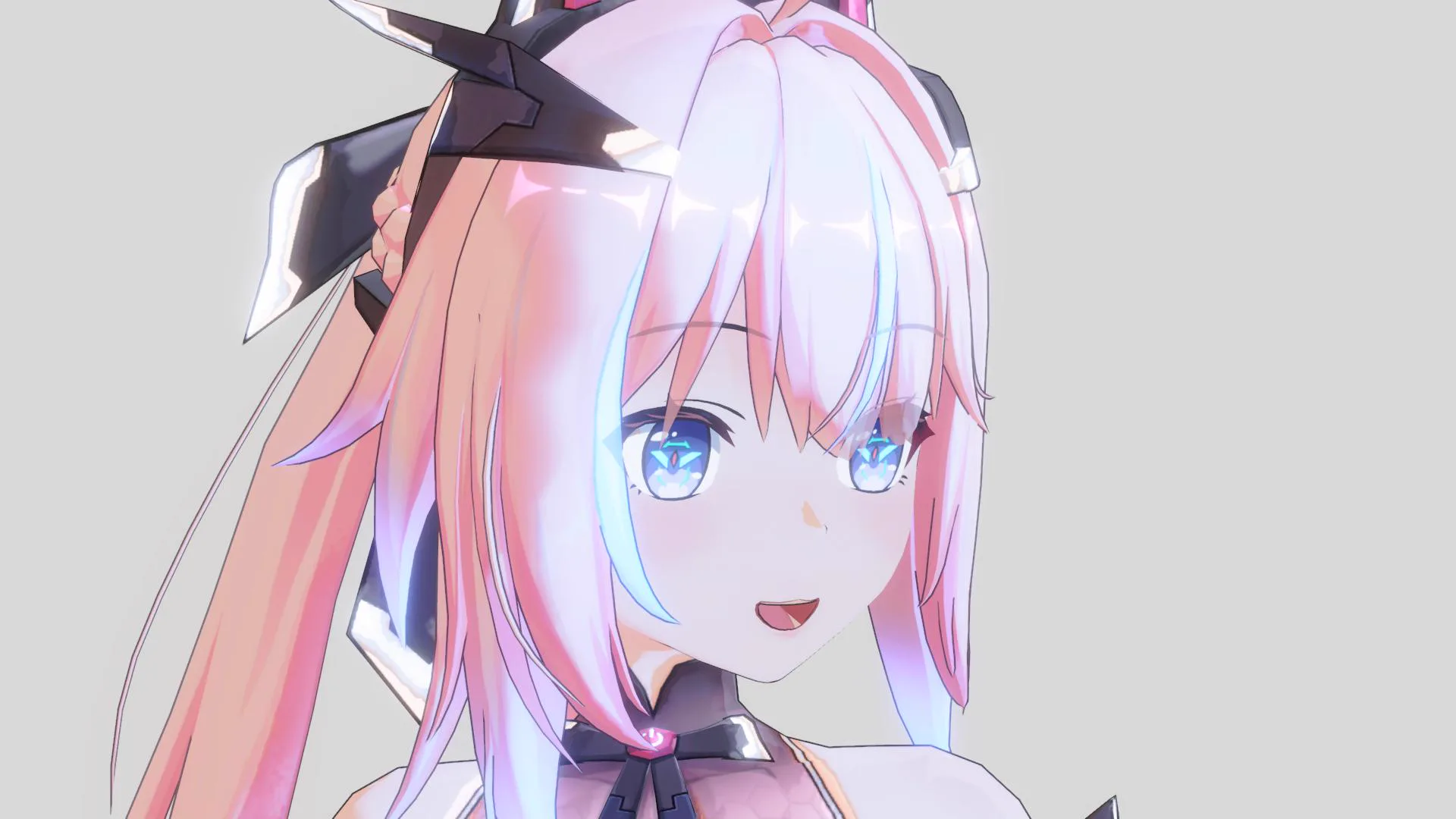
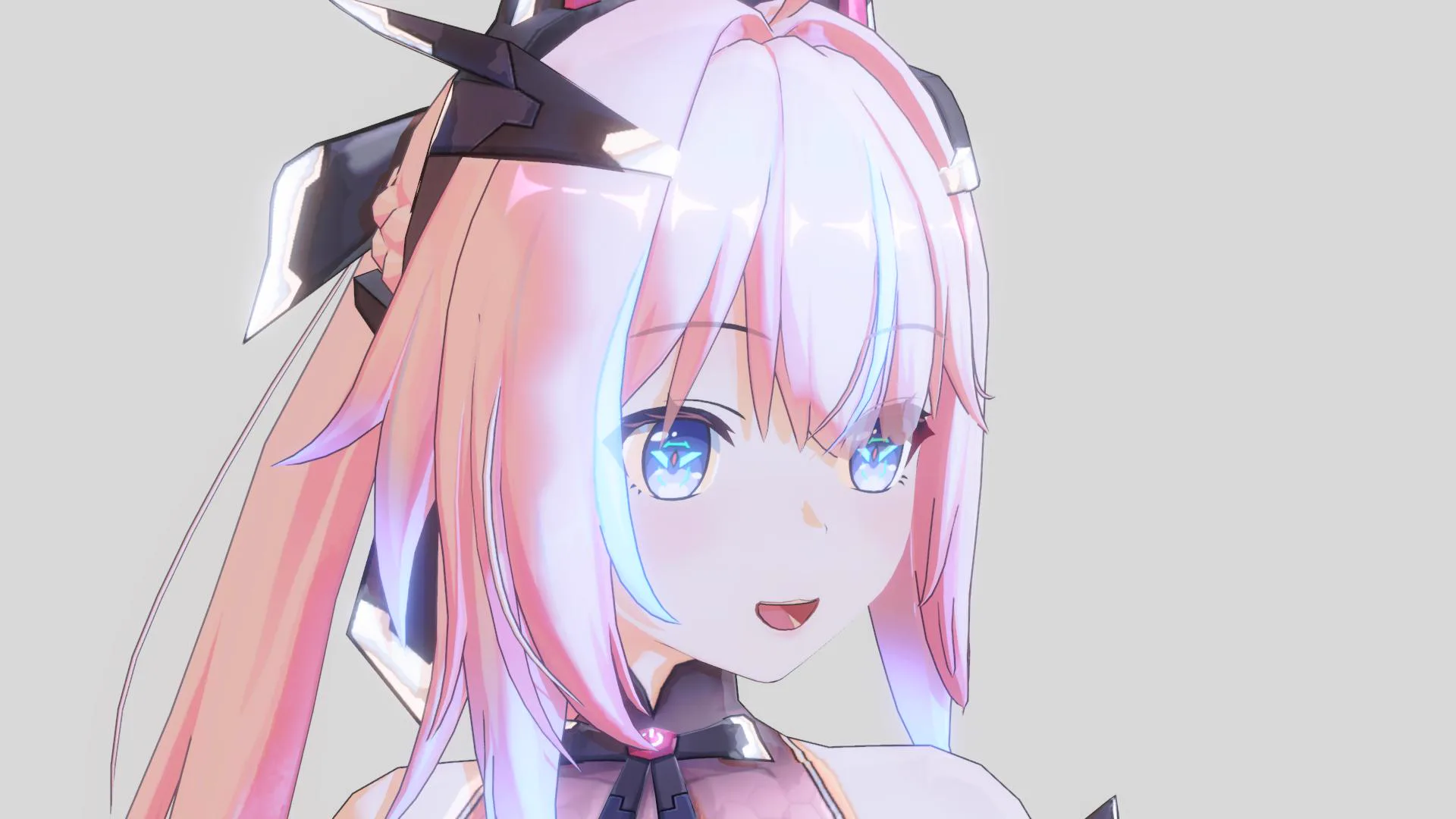
A soft, short-range self-shadow for where one part of the character blocks the light from another — hair onto the face, an arm onto the body. It keeps close-ups looking grounded, with no real-time shadow map needed.
When the shadow intensity is increased, this shadow area becomes darker as well.
ContactShadow Off
ContactShadow On
Enable it
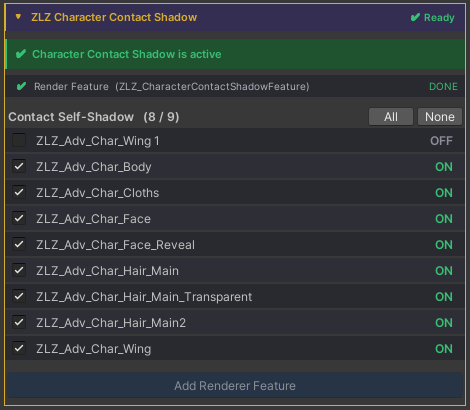
The Dashboard does the setup for you:
- Open ZLZ Character Dashboard → ZLZ Character Contact Shadow.
- Add Render Features.
- Turn it On.
Parameters
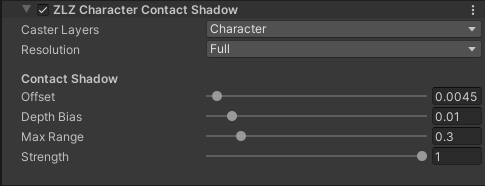
Can be adjusted in the Render Feature settings.
Look
- Strength — overall darkness of the shadow. (0–1)
- Offset — how far the shadow reaches toward the light. Higher = longer.
- Max Range — only blockers closer than this (metres) cast, so it stays short and contact-like (e.g. hair → face).
Setup & performance
- Caster Layers — set to your character layer(s).
- Resolution — how detailed the depth buffer the effect uses is. Higher keeps
contact edges crisp; lower uses less memory & bandwidth (edges get softer).
- Full — full resolution
- Half — 1/2 width & height (1/4 the pixels)
- Quarter — 1/4 width & height (1/16 the pixels)
- Eighth — 1/8 width & height (1/64 the pixels)
- Depth Bias — raise slightly if you see speckles on self-shadowed surfaces.